Reconciliation that does itself.
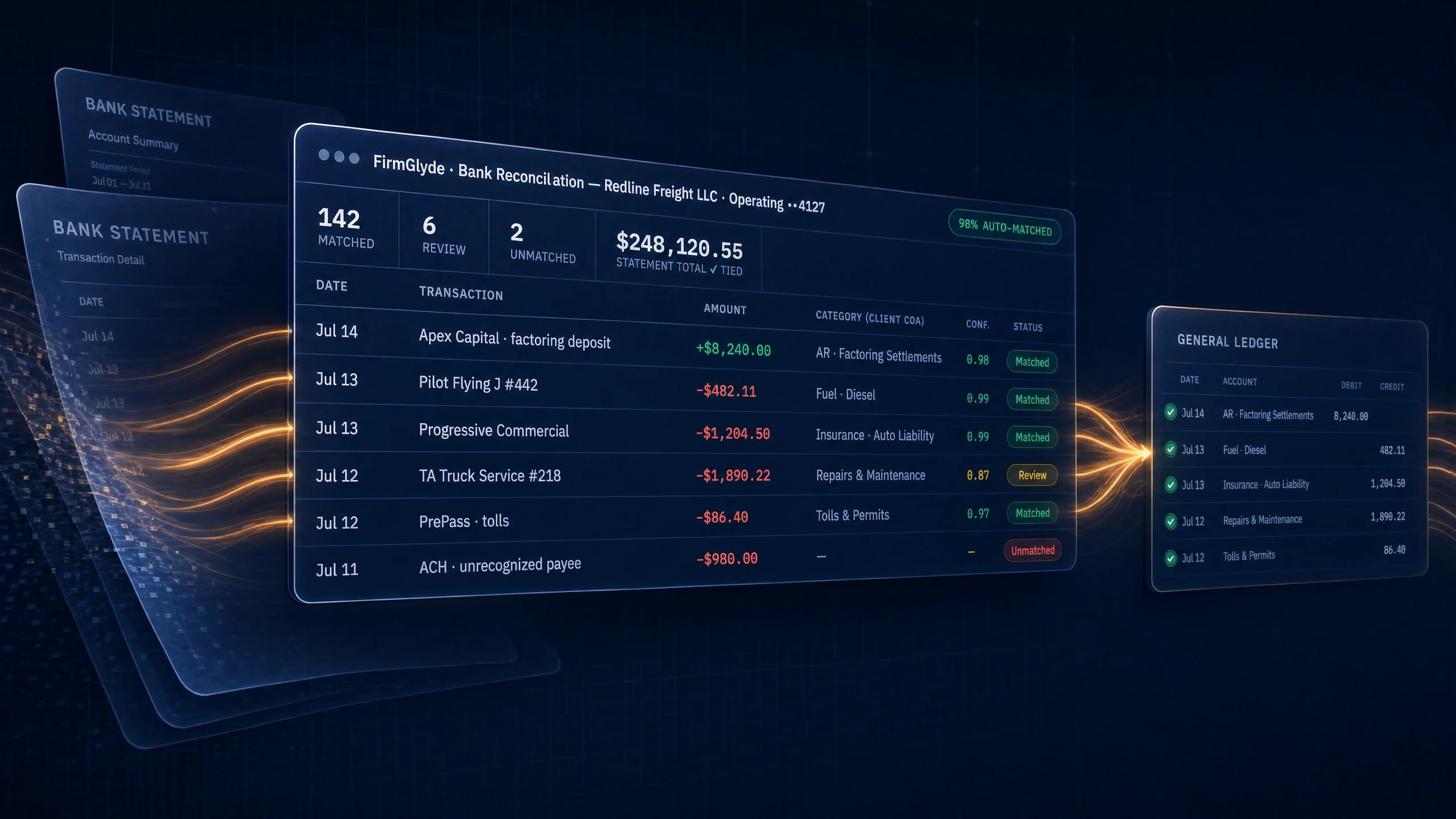
Drag in any bank's statements — PDF or spreadsheet, every account at once. FirmGlyde reads every line, categorizes it against that client's own chart of accounts, ties its numbers back to the statement's printed totals, and posts the fixes into QuickBooks. In bulk.
Five clicks, start to posted.
This is the actual flow, step by step — click the steps to see each stage.
| Date | Transaction | Amount | Category (client COA) | Conf. | Status |
|---|---|---|---|---|---|
| Jul 14 | Apex Capital · factoring deposit | +$8,240.00 | AR · Factoring Settlements | 0.98 | Matched |
| Jul 13 | Pilot Flying J #442 | −$482.11 | Fuel · Diesel | 0.99 | Matched |
| Jul 12 | TA Truck Service #218 | −$1,890.22 | Repairs & Maintenance | 0.87 | Review |
| Jul 11 | ACH · unrecognized payee | −$980.00 | — | — | Unmatched |
| Entry | Type | Account | Amount |
|---|---|---|---|
| Apex Capital settlement | Deposit | AR · Factoring | +$8,240.00 |
| TA Truck Service #218 | Expense | Repairs & Maint. | −$1,890.22 |
| Transfer to payroll ••8821 | Transfer | Payroll Checking | −$12,000.00 |
The whole job, one pass.
Built by people who close books.
Any bank. Any format.
No bank feeds to beg clients for, no CSV templates. The statements themselves are enough — PDF, spreadsheet, scanned, multi-account, check register included.
Their books, not a guess.
Every line is coded against that client's chart of accounts, with rules learned from their actual general ledger — and a confidence score so your team only touches the exceptions.
Faster every month.
Corrections become client-specific rules automatically. The first close is fast; the twelfth is faster — the tool compounds like an employee who never forgets.
Reconciled books feed the rest of the machine.


Before you ask.
Do I need to connect bank feeds?
No. Drop in the bank's statements as PDF, CSV or Excel, including scanned statements, several accounts and the check register at once. There are no bank feeds to connect and no templates to map: the statement files are enough to start.
How does Bank Reconciliation categorize transactions?
Every line is coded against that client's own chart of accounts, using rules learned from their actual general ledger. Each line carries a confidence score, so your team reviews only the exceptions instead of checking every row.
How do I know the reconciled numbers are right?
FirmGlyde audits what it read against the statement's own printed totals, not just a sum of the parsed rows. It then reconciles books against bank and shows what matched, what didn't, and what is missing from QuickBooks.
Does it post the results to QuickBooks?
Yes, in bulk. Deposits, expenses and transfers post with their accounts pre-filled in one click, and lump-sum deposits are matched to the exact open invoices they paid. A four-sheet Excel reconciliation report is emailed to you as the workpaper.
Does it get better each month?
Yes. Every correction your team makes becomes a client-specific rule automatically, so next month's categorization starts from what you taught it. The first close is fast; later closes need fewer fixes.
Your next close is
a drag and drop.
Bring one messy client and see the whole flow run on their real statements.